





Known as Chevrolet Infotainment 3 in newer models, Chevy MyLink is an innovative system that makes every ride more enjoyable. Get the most out of your Chevy infotainment system with these MyLink tips from our Chevy dealer.
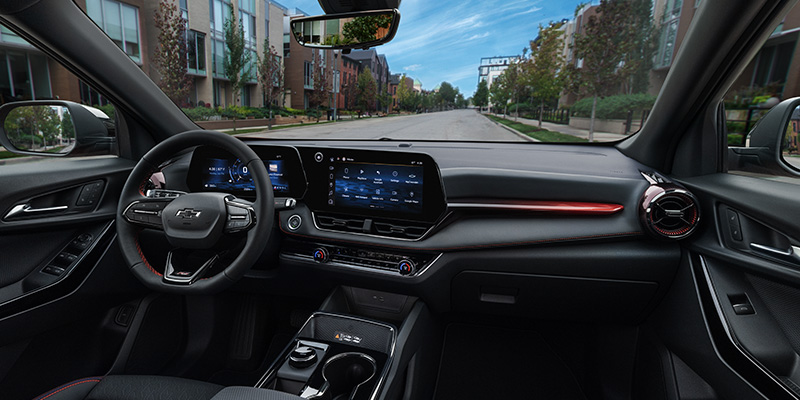
Customizing Your Touchscreen
Chevrolet’s infotainment system allows you to make customized profiles for everyone who drives the vehicle, giving each driver fast access to their favorite apps. When you first purchase your new Chevy, you can create your own profile that has a name, photograph, and affiliated key fob. When this key fob is detected in the vehicle, Chevy MyLink can immediately pull up the associated profile to kickstart your ride.
Installing Apps of Your Choice
Chevrolet Infotainment 3 has a wide range of available apps that cater to all of your entertainment interests and needs. Use your touchscreen to navigate through a vast array of topics, including music, sports, news, and weather. Choose the apps you’re most interested in and add them to your driver profile for easy access!
Connecting Your Smartphone
The best way to make your ride as personalized as possible is by syncing your smartphone to your Chevrolet. The Chevy MyLink system comes with Apple CarPlay and Android Auto smartphone integration, allowing you to pair a compatible device with your vehicle and access your contacts directly on the touchscreen. In newer models, this feature is often wireless and uses Bluetooth technology to connect your phone to the system without any cables.
Enjoy Your Favorite Music
The Chevrolet infotainment system offers several different ways to enjoy music in your vehicle, including standard AM/FM radio for local stations. If you’ve paired a smartphone to your system, you can use Apple CarPlay or Android Auto to listen to your own playlists on Apple Music or Spotify. Most Chevy vehicles have SiriusXM satellite radio compatibility, providing countless music stations that are broken down by genre, decade, and artist.
Set Up a Wi-Fi Hotspot
New Chevy models come with Wi-Fi hotspot capability that works on anywhere from seven to ten devices, depending on the year of your vehicle. Use your MyLink system to set up a Wi-Fi hotspot and you’ll be able to surf the web or stream entertainment on smartphones, laptops, and tablets within fifty feet of your Chevrolet.
Use Voice Recognition Controls
Nearly all the features on the Chevy MyLink infotainment system can be operated through voice recognition, letting you keep your hands firmly on the wheel for safety. With natural voice recognition, you can make hands-free phone calls or send text messages from behind the wheel. You can also ask your infotainment system for step-by-step GPS navigation or request a certain song from one of your playlists.
Stop by Trapp Chevrolet in Houma, LA, to experience Chevy’s expansive infotainment system today.
Connect with us


